
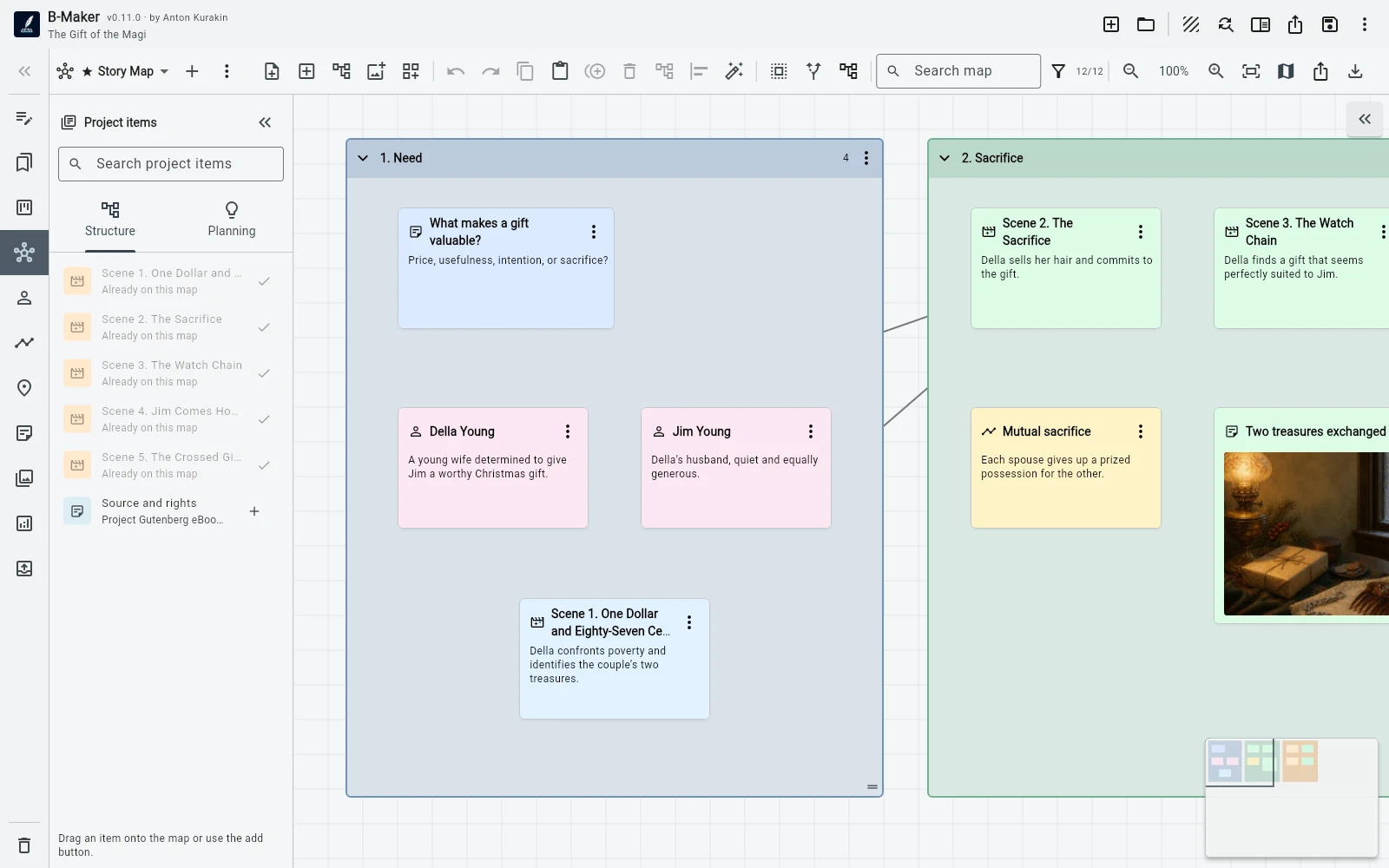
Idea Map supports multiple boards, free positioning, connections, groups, images, search, filters, minimap, auto-layout, stacks, and real project entities.
Freeform first
The board does not force a tree or a single mind-map hierarchy. Notes can be placed spatially, connected, grouped, stacked, or mixed with images and real project entities.
That makes it useful for brainstorming, relationship maps, research clusters, scene planning, or structural experiments.
Project-aware nodes
A chapter, scene, character, plotline, or planning card can appear on the map as the actual entity rather than a copied label. The visual view and manuscript structure can refer to the same data.
You can also add a complete structure branch to a board and move between map and editor.
From note to text
Planning notes and groups can be converted into real manuscript sections with an initial text version. The map therefore does not have to become a dead planning artifact after drafting begins.
For writers who prefer a completely separate canvas, a specialist tool may still be simpler; B-Maker's advantage is continuity.
Frequently asked questions
Can an idea become a real chapter?
Yes. Planning notes and groups can be converted into manuscript sections with an initial version.
Can I have more than one Idea Map board?
Yes. Different parts of a project can use different visual boards.
Related B-Maker guides
B-Maker vs Scapple — Integrated Idea Map or Freeform Canvas? · How to Organize a Novel Without Turning Writing Into Admin Work · Novel Writing Software — Plan, Write, Revise and Publish
Try the workflow on a real project.
Open B-Maker in the browser and start with one chapter or one article. Add deeper tools only when the project needs them.