
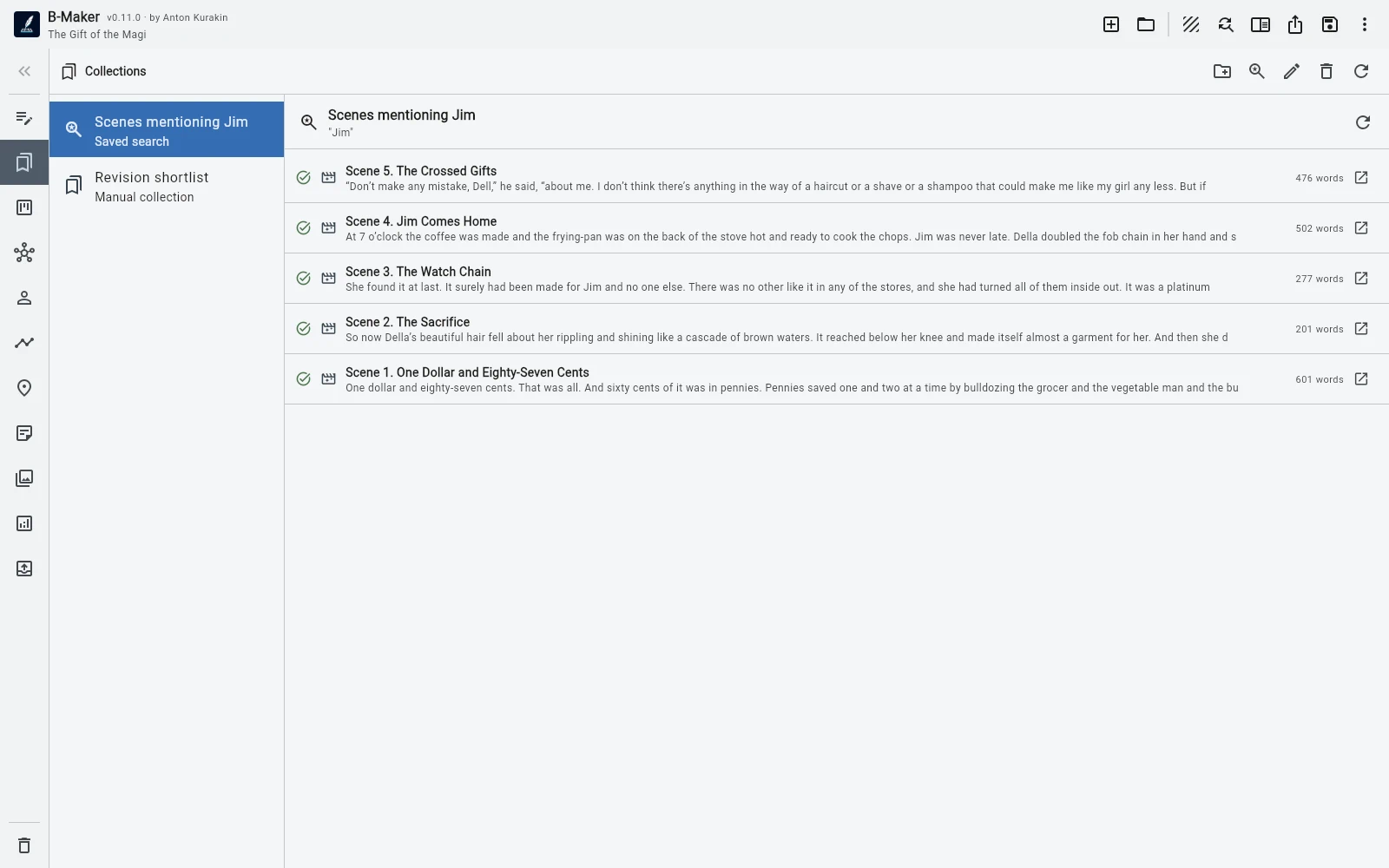
B-Maker combines manuscript structure with collections, saved searches, notes, versions, analytics, and a publishing package inside one portable project.
Keep sources beside the manuscript
Research notes and source material can stay inside the same project while organizational folders keep them out of the final book export.
This allows the writing tree to stay clean without forcing the research into another application.
Work with subsets without moving structure
Collections and saved searches create temporary views of the project. Gather chapters around a theme, isolate unfinished sections, or collect material for a revision pass without changing the real manuscript order.
That distinction between structural order and working view is especially useful for research-heavy books.
Prepare the book as a product
Versions let arguments evolve without destroying earlier drafts. Analytics help reveal structural and stylistic issues. The publishing workspace then keeps positioning, blurb, synopsis or proposal, author information, rights, and readiness in one place.
Export can target the complete project or selected branches.
Frequently asked questions
Is B-Maker only for fiction?
No. Collections, saved searches, research notes, versions, analytics, and publishing preparation are useful for nonfiction.
Can source articles stay in the project without being exported?
Yes. Organizational folders can remain in the project while being excluded from final book export.
Related B-Maker guides
Writing Software for Articles and Books — Keep Everything Together · How to Turn Articles Into a Book — Without Copy-Pasting a Blog · Manuscript Version Management Without final-final.docx
Try the workflow on a real project.
Open B-Maker in the browser and start with one chapter or one article. Add deeper tools only when the project needs them.