
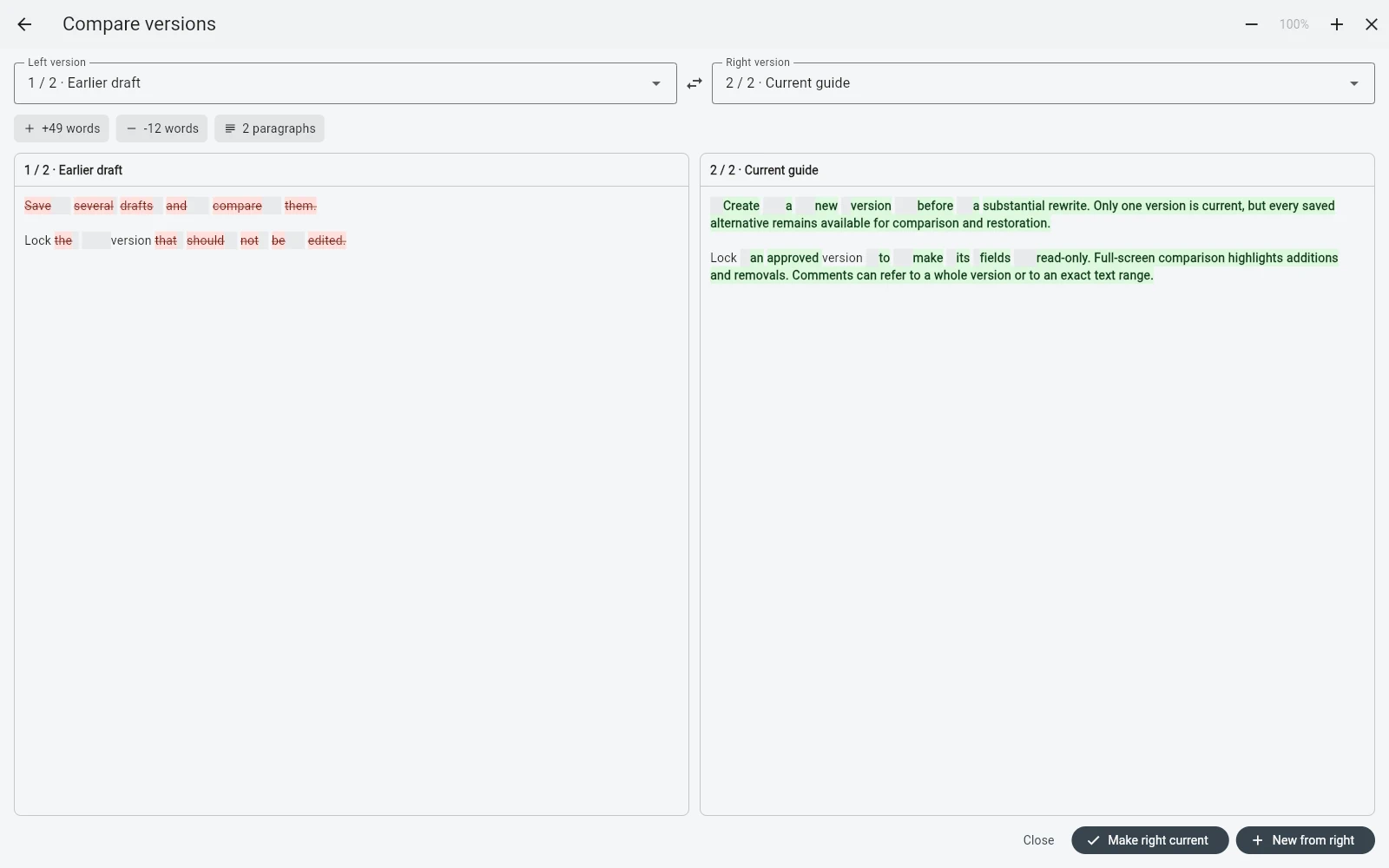
B-Maker keeps versions at the section level: chapter, scene, or article. Name them, compare them, lock finished revisions, add comments, and choose which version is current.
Version the unit you actually rewrite
Most edits happen to one section, not the entire book. Keeping versions per chapter, scene, or article avoids cloning the full project for every experiment.
The rest of the manuscript continues to use its current versions normally.
Make old work safe but accessible
A finished revision can be locked read-only. If a later rewrite goes wrong, the earlier version still exists and can be inspected without fear of accidentally changing it.
Comments can belong to the whole text or to a specific passage, so revision context stays close to the revision.
Compare before restoring
Full-screen comparison helps decide what actually changed before you return to an older idea. The purpose is not source-control complexity for writers; it is a clear answer to what was lost in a rewrite.
That makes experimentation less risky and reduces the urge to create duplicate external files.
Frequently asked questions
Does B-Maker version the entire project or individual sections?
Text versions belong to sections such as chapters, scenes, or articles, so you do not need to duplicate the entire project.
Can I lock and compare versions?
Yes. Finished versions can be locked read-only, and two versions can be compared before you choose material to restore.
Related B-Maker guides
Novel Writing Software — Plan, Write, Revise and Publish · Writing Software for Bloggers and Technical Writers — Drafts, Versions and Archive · How to Organize a Novel Without Turning Writing Into Admin Work
Try the workflow on a real project.
Open B-Maker in the browser and start with one chapter or one article. Add deeper tools only when the project needs them.