
A B-Maker project is a portable .bmaker SQLite file containing the writing project. You decide where that file lives and how it is backed up.
“Where is my book?” should have a simple answer
For a normal document, the answer is obvious: here is the file. Modern applications often replace that simple mental model with accounts, workspaces, sync states, proprietary storage, and export procedures.
Those systems have advantages, especially for collaboration. But for a solo writing project they also create dependency. The application becomes not only the tool used to edit the book, but also the place that owns the canonical copy.
B-Maker uses a more ordinary model: the project itself is a file.
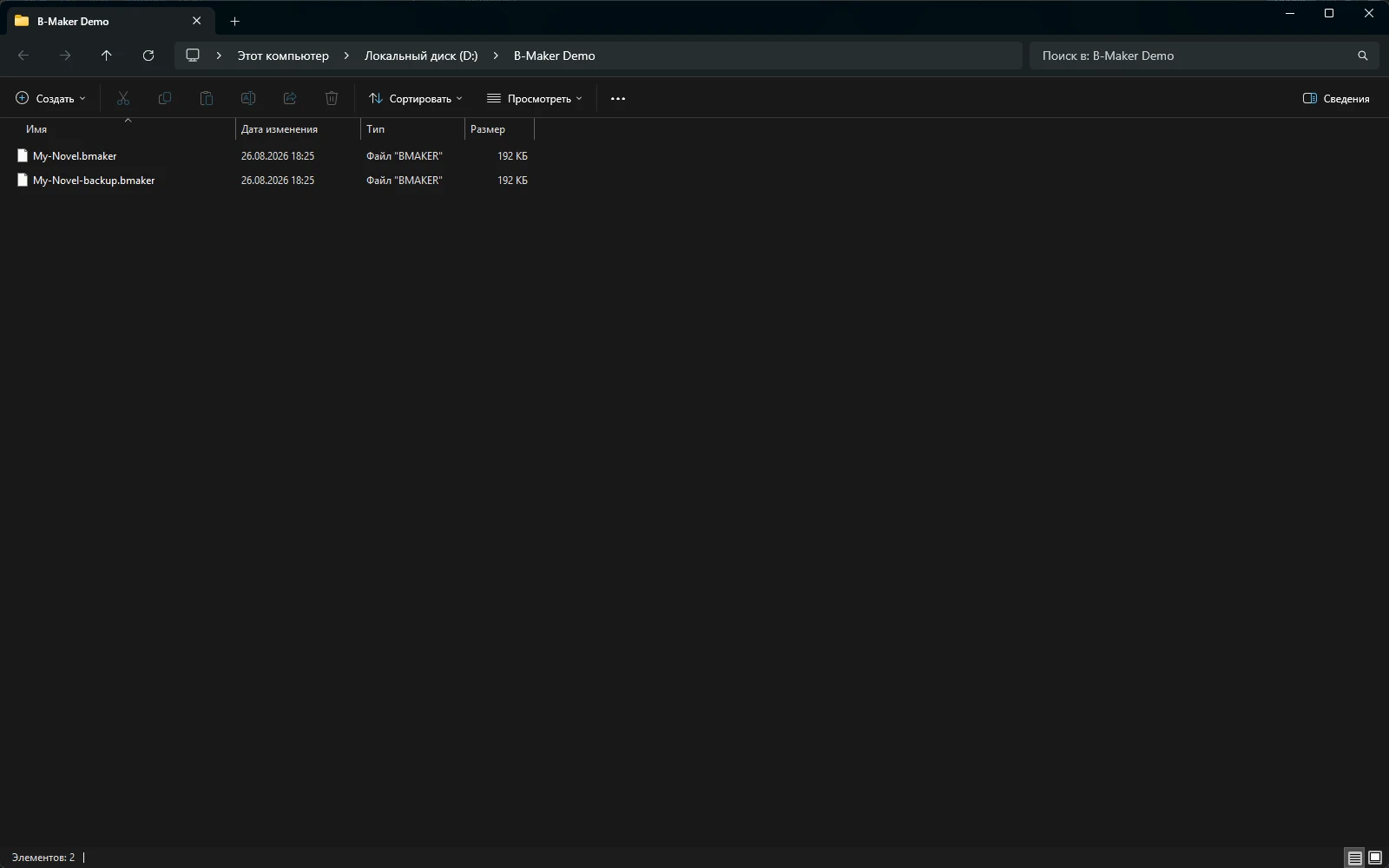
One file can still contain a complicated project
“File” does not mean “one flat document.” The .bmaker project can contain books, articles, sections, versions, planning data, comments, cover information and project assets. Internally it is a SQLite-based project; externally it behaves like one portable object you can recognize and move.
That distinction matters. Complexity stays inside the project instead of leaking into a folder containing hundreds of implementation files that the writer must understand.
Backups remain understandable
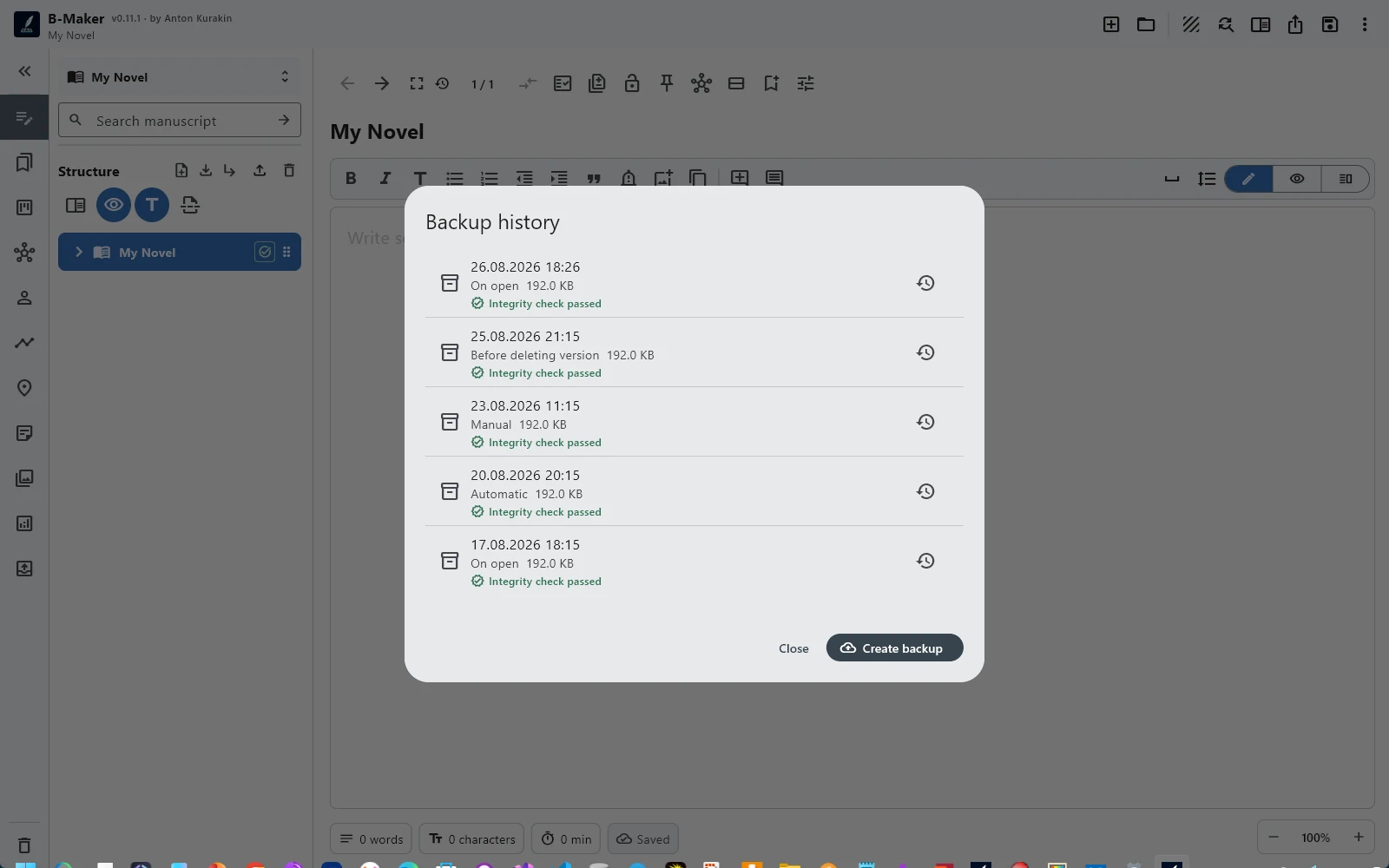
A backup strategy should not require knowledge of the application's server architecture. Copy the project file to another disk. Put copies into your normal backup system. Keep dated snapshots. B-Maker also provides project backup, history, restore and integrity-checking tools, but the underlying ownership model remains visible.
If you prefer a cloud drive for backup or transfer, that can still be your choice. Local-first is not the same as anti-cloud. It means the cloud is optional infrastructure rather than the mandatory home of the manuscript.
The browser does not have to change the ownership model
B-Maker can run in a modern browser on Mac, Linux, Chromebook and tablets. A web interface usually suggests that the project must therefore belong to a web service. That is not the model here: the browser project can be downloaded as a portable .bmaker file.
The native Windows application uses local project files directly. The web version gives access on more devices without redefining the manuscript as a remote account object.
There is a trade-off, and it is intentional
Mandatory cloud storage can make automatic multi-device synchronization and real-time collaboration easier. B-Maker currently prioritizes file ownership and portability instead. If effortless live collaboration is your primary requirement, a cloud-native writing platform may be a better fit.
For writers who care more about a clear canonical project, independent backups, offline ownership and the ability to leave with the project intact, the local-first model is simpler to reason about.
Ownership is a workflow feature
This is not only a privacy argument. It changes everyday behavior. You know what to back up. You know what to copy before a risky edit. You know what belongs to the project. And the answer to “where is my book?” remains concrete.
Related guides
Local-first writing software · Cross-platform writing · Start writing first
Keep the project where you want it.
Use B-Maker in the browser or on Windows, and keep a portable project file under your control.