
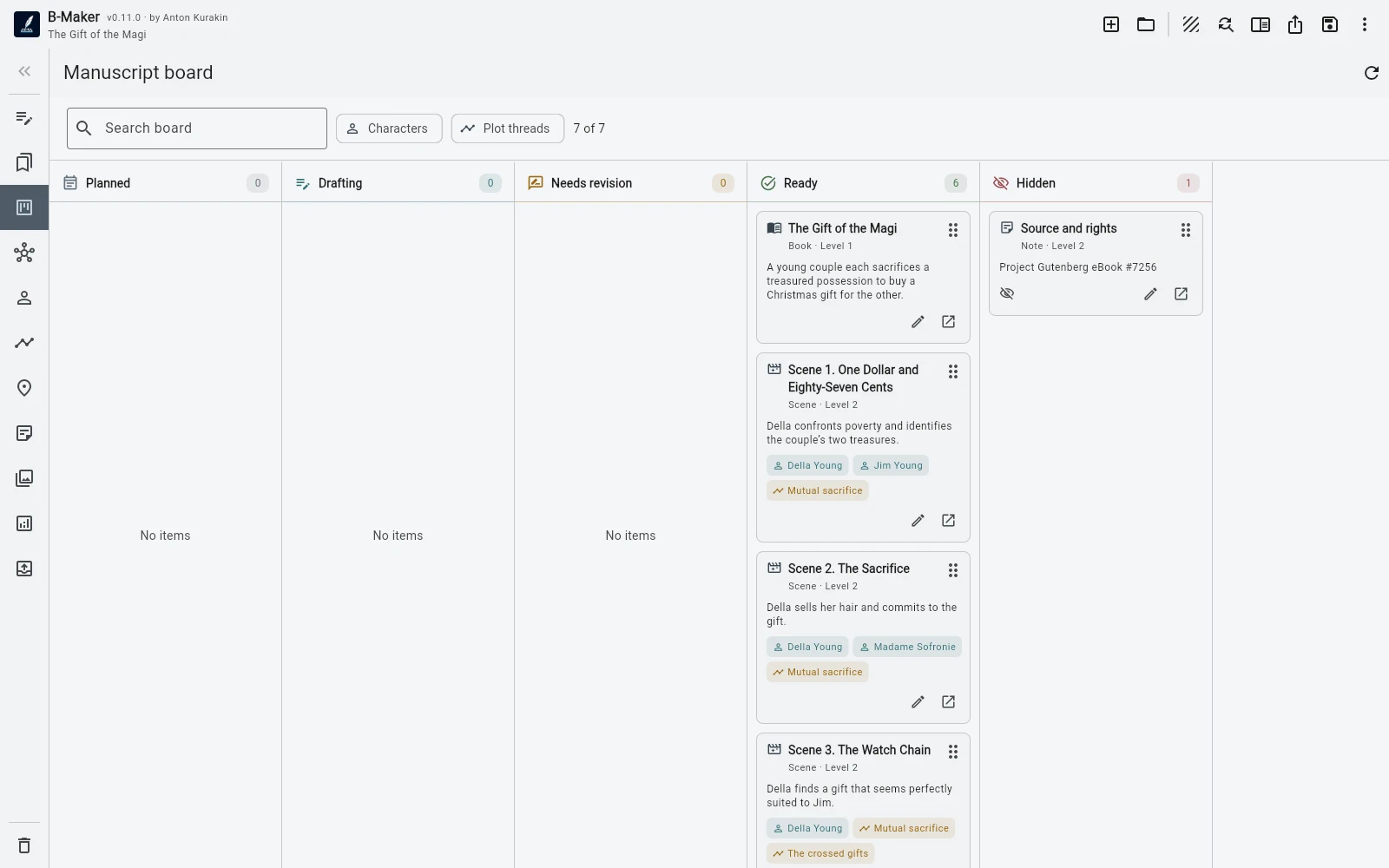
The tree answers “where does this belong in the manuscript?” The board answers “what is happening with it now?”
The tree should remain structural
Chapter 4 belongs after Chapter 3 even if Chapter 4 happens to be the thing you are rewriting today. Moving sections in the tree changes the book itself.
The board is operational
Draft, rewrite, edit, ready: these states cut across book order. A board makes progress, bottlenecks, character filters, and plotline filters visible without asking you to reorganize the manuscript.
Why not encode status in folder names?
Because then workflow information contaminates book structure. “Needs edit / Chapter 4” is useful today and meaningless in the final manuscript.
assets/img/bmaker/bmaker-explained-tree-board-01.webpUse each view for one job
If you are deciding sequence, hierarchy, or where a section belongs, use the tree. If you are deciding what to work on, what is blocked, or what still needs revision, use the board.